Eleaf iStick Pico, the user manual decoded step by step

Three buttons and a screen the size of a fingernail, yet the Eleaf iStick Pico hides a good dozen operations. Most listings stop at the maximum wattage and the list of modes, while the mod responds to sequences of clicks, combined presses and specific cell voltages. This benchmark sets the manual of the original Pico, published in 2016, against the Pico Plus manual, to show what each gesture and each on-screen message actually means.
Eleaf iStick Pico, the basic gestures in the manual
On the Eleaf iStick Pico, as on the Pico Plus, everything starts with the fire button. Five quick presses switch the mod on or off, three presses open mode selection, and holding the button fires. The two adjustment buttons, plus and minus, change the value on screen.
| Gesture | Effect according to the manual |
|---|---|
| 5 presses on fire | Switch on or off |
| 3 presses on fire | Choose the mode (VW, Bypass, TC-Ni, TC-Ti, TC-SS, TCR M1 to M3) |
| 4 presses on fire, in temperature control | Open the wattage setting |
| Fire and minus together | Turn stealth mode on or off |
| Plus and minus together, 2 seconds, mod on | Lock or unlock the settings |
| Long press on plus or minus | Scroll the value faster |
The cell goes in positive side down, under the screw-on cap. Both manuals ask for an 18650 cell with a continuous discharge rating above 25 A, and for a wattage suited to the atomiser before the first puff. Whatever tank sits on top, UK rules cap a refillable tank at 2 ml.
Button combinations, from the original Pico to the Pico Plus
The Pico Plus manual is the more recent document, and also the shorter one. Some functions described in 2016 no longer appear in it, which does not mean they have left the mod, only that the document does not mention them.
What has not changed
Mode selection follows the same logic. After three presses, the screen shows the current mode, plus and minus scroll through the list, and one press on fire confirms. The 2016 manual adds that you can also leave the buttons alone for about ten seconds, and the mod then keeps the mode on screen.
Locking the settings works in both cases with a two-second press on plus and minus, with the mod switched on. The screen shows “Lock”, then “Unlock” when you repeat the gesture. The fire button stays active, only the adjustment is blocked. Stealth mode turns the screen off while firing, and a single press on fire shows the current settings.
What the Pico Plus manual leaves out
The original manual describes one gesture missing from the Pico Plus manual. With the mod switched off, a two-second press on plus and minus rotates the display by 180 degrees, so the screen reads either way up. It is the same press as the lock, and only the state of the mod, on or off, tells them apart.
Resistance ranges also differ between the two documents. The original Pico accepts 0.1 to 3.5 ohms in VW and Bypass, and 0.05 to 1.5 ohm in temperature control. The Pico Plus manual states 0.15 to 3.5 ohms, then 0.05 to 1.0 ohm. A 1.2 ohm stainless steel coil therefore falls inside the TC range of the first, but not of the second.
Temperature control on the iStick Pico, locking the resistance
Temperature control is the most detailed part of the 2016 manual. It relies on reading the coil resistance when cold, and that explains several of the messages the mod shows in these modes.
Setting wattage and temperature
In TC-Ni, TC-Ti, TC-SS or TCR, plus and minus set the temperature directly, from 100 to 315 °C or 200 to 600 °F. According to the 2016 manual, each press moves the value by 5 °C or 10 °F. To change the wattage, from 1 to 75 W, you need four quick presses on fire.
The 2016 manual also builds in an automatic fallback for temperature control. If a standard coil, or a coil above 1.5 ohm, is fitted by mistake in a TC mode, the mod switches itself back to VW mode.
The “New coil up same down” message
With the mod on in a TC mode, a two-second press on fire and plus locks the base resistance. A padlock symbol then replaces the ohm sign. Eleaf advises locking it while the coil is cold, at room temperature, so the mod records the right value.
Without that lock, removing and refitting the atomiser can bring up “New coil up same down”. The mod is asking whether the coil has changed. The minus button answers that it is the same coil, the plus button that it is a new one. To move to another atomiser, the manual asks you to unlock the resistance first.
Eleaf iStick Pico screen messages and cell thresholds
Every protection on the Eleaf iStick Pico has its own message, and several of them point to a precise cell voltage. The 2016 manual lists them with their thresholds, which retail listings rarely repeat.
| Message | What triggers it, according to the manual |
|---|---|
| Over 10s | Puff longer than 10 seconds, automatic cut-off |
| Atomizer Low | Coil below 0.1 ohm in VW and Bypass, below 0.05 ohm in TC |
| Atomizer Short | Atomiser short circuit |
| No Atomizer | No atomiser detected |
| Battery Low, then Lock | Cell below 3.1 V |
| Weak Battery | Cell dropping below 2.9 V while firing, output reduced |
| Temp Protection | Coil has reached the set temperature, in TC |
| Device Too Hot | Mod too hot, output cut until it cools down |
The two voltage thresholds do not measure the same thing. At 3.1 V, the first locks the mod until the cell is recharged. The second, at 2.9 V, only applies while firing, when the voltage sags under the coil’s demand, and simply reduces the output. Going by these thresholds, a mod that shows “Lock” when nobody has touched the buttons is therefore asking for a charge, not reporting locked settings.
The Pico Plus product page adds a “DRY-PROOF” message, shown when the chipset detects a lack of e-liquid on the coil. The same reasoning about cell voltage appears in our benchmark on the batteries low warning, and reading the markings on a cell is covered in the article on INR18650 cells.
Charging and operating temperatures in the manual
In-mod charging differs between the two generations. The original Pico charges over micro-USB, from a 1 A wall adapter, and the Pico Plus over USB-C, at 5 V and 2 A. According to Eleaf’s product page, the newer version of the original Pico has also moved to USB-C.
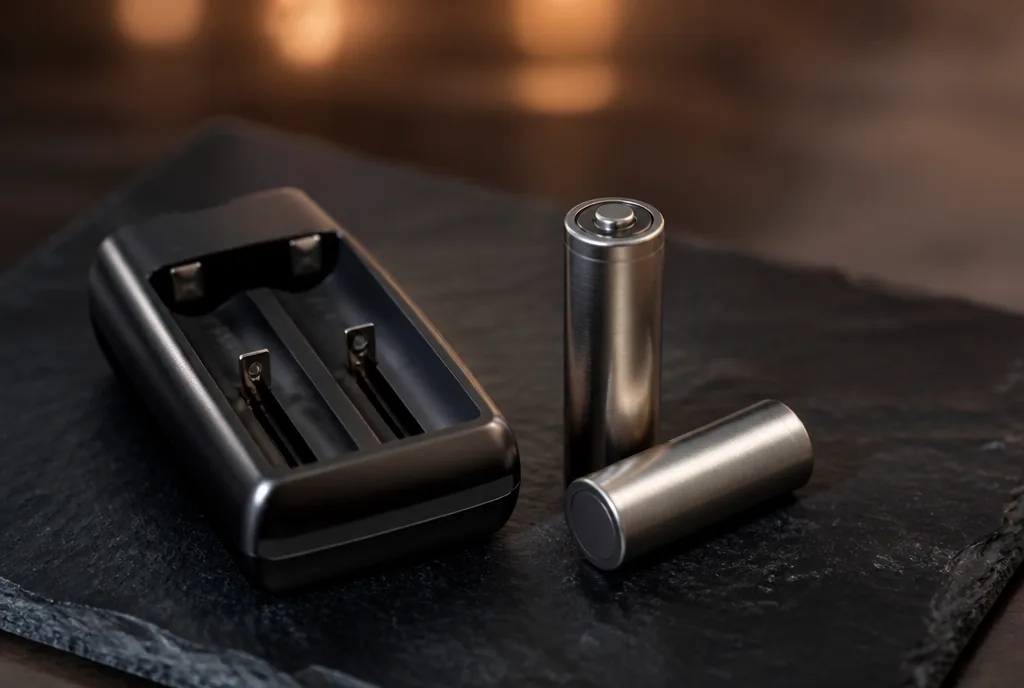
On the 2016 Pico, the battery indicator flashes when less than 10% charge remains, keeps flashing while charging, and the screen goes out once the cell is full. The manual recommends an external charger, which is quicker, and our article on the vape battery charger explains what its spec sheet should state.
Both manuals also set temperature ranges. The original one allows use from -10 to 60 °C and charging from 0 to 45 °C. The Pico Plus manual narrows use to -5 to 50 °C and sets charging at 0 to 50 °C. A mod left in a car on a hot summer day is therefore outside both ranges.
FAQ
Five questions that come up after a first read of the manual.
Why does the temperature jump from 315 °C to 200 °F?
The 2016 manual builds in a unit switch. Beyond 315 °C, one more press on plus shows the lowest Fahrenheit value, 200 °F. The other way round, pressing minus at 200 °F takes you back to 315 °C.
How do you set the TCR value on the original Pico?
With the mod off, holding fire and plus opens the TCR menu. You pick M1, M2 or M3 with plus and minus, confirm with fire, then adjust the value to suit the coil wire. The manual gives reference ranges, 600 to 700 for nickel, 300 to 400 for titanium and 80 to 200 for stainless steel.
Can the iStick Pico firmware be updated?
On the original micro-USB Pico, yes, by connecting the mod to a computer. Eleaf’s product page states, however, that the firmware of the USB-C version cannot be upgraded.
How does the mod handle a reversed or overcharged cell?
The Pico Plus product page lists protection against reverse polarity, overcharge, over-discharge, over-current, over-long puffs and short circuit.
Does the Pico Plus keep the TCR memories?
Yes, its manual lists the TCR M1, M2 and M3 modes, with a range of 0.05 to 1.0 ohm, and states that the TCR value can be set within a suitable range. It does not, however, describe any gesture to open that setting, unlike the 2016 manual.
Eleaf iStick Pico, read the manual before the first setting
The Eleaf iStick Pico manual runs to a few pages, but it answers most of the hold-ups. A “Lock” that appears on its own points to a cell below 3.1 V, “New coil up same down” waits for an answer on plus or minus, and a TC mode that drops back to VW signals a coil out of range.
Whether the mod is recent or older, the same habit applies from one model to the next. Identifying which generation of Eleaf iStick Pico you own, then reading the manual that goes with it, avoids mistaking a protection for a fault, and that reading applies to any vaping hardware with a removable cell.
Further reading
- Batteries low, what the warning means
- INR18650, reading battery nomenclature
- Vape battery charger, the reference sheet
Editorial content for adult readers only. Vaping products can contain nicotine, which is a highly addictive substance. Vaping products are not for sale to anyone under 18 in the UK. This article is not a buying recommendation.